
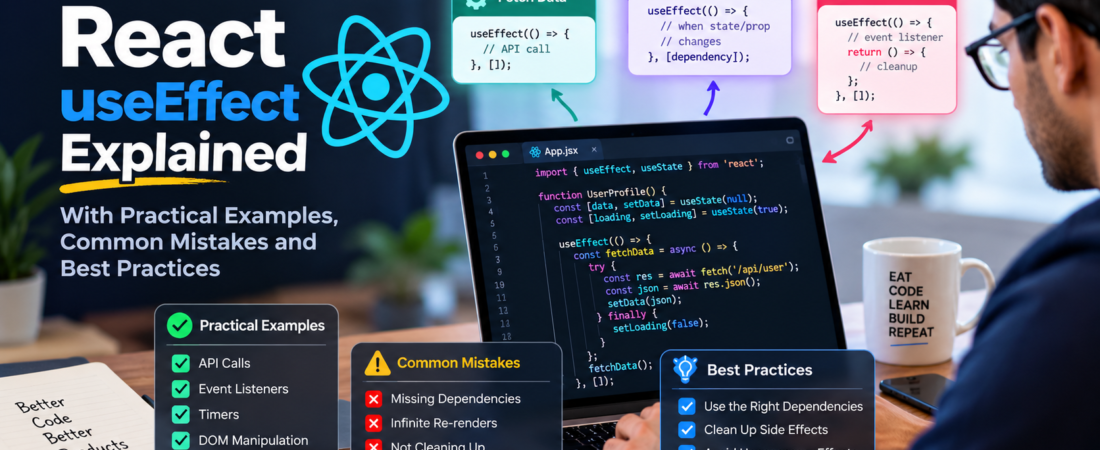
React’s useEffect hook lets you synchronize a component with external systems such as APIs, browser event listeners, timers, and third-party libraries.
It is also one of the hooks that developers frequently misunderstand. An unnecessary Effect can make code harder to maintain, introduce duplicate requests, or create bugs caused by outdated values.
In this guide, you will learn when to use useEffect, how its dependency array works, how to clean up side effects, and which common mistakes to avoid.
What Is useEffect in React?
useEffect is a React Hook that runs an Effect after React commits a render. You can use it to synchronize your component with something outside React.
Import it from React:
import { useEffect } from 'react';A basic example:
import { useEffect } from 'react';

function PageTitle() {
  useEffect(() => {
    document.title = 'DevFlowLab';
  }, []);

  return <h1>Welcome to DevFlowLab</h1>;
}
This Effect sets the browser tab title when the component mounts. Because the dependency array is empty, React does not re-run this Effect for ordinary re-renders.
However, useEffect is not needed for every operation that happens after a render. Before writing an Effect, ask yourself whether the work can be done directly during rendering or in an event handler.
1. Understanding the Dependency Array
The dependency array controls when React re-runs an Effect after a commit.
Example A: No dependency array
useEffect(() => {
  console.log('Effect ran');
});
React runs this Effect after every commit. If the Effect updates state on every run, it can create an infinite update loop.
Example B: Empty dependency array
useEffect(() => {
  console.log('Effect ran');
}, []);
React runs the Effect after the initial commit, then runs its cleanup when the component is removed. In development, React Strict Mode may run an additional setup-and-cleanup cycle to help reveal bugs.
Example C: Dependencies included
useEffect(() => {
  console.log('Selected user changed:', userId);
}, [userId]);
React runs the Effect after the initial commit and again when userId changes.
Important: Include every reactive value used by the Effect in its dependency array. React’s eslint-plugin-react-hooks can help identify missing dependencies.
2. Fetching API Data with useEffect
Fetching data is a common example of synchronizing a component with an external system. Here’s a simple example using the browser’s fetch API.
import { useEffect, useState } from 'react';

function UserProfile({ userId }) {
  const [user, setUser] = useState(null);
  const [loading, setLoading] = useState(true);
  const [error, setError] = useState('');

  useEffect(() => {
    const controller = new AbortController();

    async function loadUser() {
      setLoading(true);
      setError('');
      setUser(null);

      try {
        const response = await fetch(
          `/api/users/${userId}`,
          { signal: controller.signal }
        );

        if (!response.ok) {
          throw new Error('Failed to load user');
        }

        const data = await response.json();
        setUser(data);
      } catch (err) {
        if (err.name !== 'AbortError') {
          setError(err.message || 'Something went wrong');
        }
      } finally {
        if (!controller.signal.aborted) {
          setLoading(false);
        }
      }
    }

    loadUser();

    return () => controller.abort();
  }, [userId]);

  if (loading) return <p>Loading user...</p>;
  if (error) return <p role="alert">{error}</p>;
  if (!user) return <p>User not found.</p>;

  return <h2>{user.name}</h2>;
}

export default UserProfile;
How this example works
- The component receives a
userIdprop. - The Effect fetches data for that user.
- Loading and error states provide feedback to the user.
- When
userIdchanges or the component unmounts, the previous request is aborted. - The new request starts with the updated
userId.
The endpoint in this example is illustrative; replace it with an endpoint from your application.
For production applications, consider caching, request deduplication, retries, and server rendering. A data-fetching library such as TanStack Query can often handle these concerns more effectively than manual Effects.
3. Why Cleanup Functions Matter
Some Effects create resources that remain active after the initial setup. Examples include timers, event listeners, subscriptions, and WebSocket connections.
A cleanup function tells React how to stop or undo that setup.
Consider a timer:
import { useEffect, useState } from 'react';

function Timer() {
  const [seconds, setSeconds] = useState(0);

  useEffect(() => {
    const timerId = setInterval(() => {
      setSeconds(current => current + 1);
    }, 1000);

    return () => clearInterval(timerId);
  }, []);

  return <p>Elapsed: {seconds} seconds</p>;
}
The cleanup function clears the interval when the component unmounts. React also runs the cleanup before re-running an Effect whose dependencies have changed.
Without cleanup, old intervals or subscriptions can continue running and cause unexpected behavior.
4. Common useEffect Mistakes
Mistake 1: Using an Effect for derived state
Avoid copying a value into state when it can be calculated directly.
Unnecessary Effect:
const [fullName, setFullName] = useState('');

useEffect(() => {
  setFullName(`${firstName} ${lastName}`);
}, [firstName, lastName]);
Prefer:
const fullName = `${firstName} ${lastName}`;The second approach is simpler and avoids an extra state update and render.
Mistake 2: Missing dependencies
Problematic:
useEffect(() => {
  console.log(userId);
}, []);
If userId changes, the Effect continues to use the value from the render in which it was created.
Correct:
useEffect(() => {
  console.log(userId);
}, [userId]);
Do not suppress dependency warnings simply to make an Effect run less often. Reconsider the Effect’s structure if the dependency list causes unexpected behavior.
Mistake 3: Creating an infinite update loop
Problematic:
useEffect(() => {
  setCount(count + 1);
}, [count]);
The Effect changes count, which triggers the Effect again, potentially continuing indefinitely.
If you want to increment a counter when a button is clicked, use an event handler:
function Counter() {
  const [count, setCount] = useState(0);

  return (
    <button onClick={() => setCount(value => value + 1)}>
      Count: {count}
    </button>
  );
}
An event handler expresses the user’s action directly instead of using an Effect to react to state changes.
Mistake 4: Assuming an Effect runs only once in development
React Strict Mode can perform an extra setup-and-cleanup cycle for Effects in development. This helps expose Effects that are not correctly cleaned up.
If you see duplicate network requests during development, investigate the request lifecycle and cleanup behavior rather than immediately removing Strict Mode.
5. When Should You Use useEffect?
| Requirement | Recommended approach |
|---|---|
| Synchronize with a browser API | useEffect when needed |
| Add an event listener | Effect with cleanup |
| Start a timer | Effect with cleanup |
| Calculate a value from props | Calculate during render |
| Respond to a button click | Event handler |
| Fetch and cache server data | Consider TanStack Query or a framework data API |
| Keep two pieces of React state synchronized | Reconsider whether both states are necessary |
This distinction is important: Effects are primarily for synchronization with external systems, not for orchestrating every change in React state.
6. A Practical Debugging Checklist
When an Effect behaves unexpectedly, ask:
- Are all reactive dependencies included?
- Does the Effect update state in a way that triggers itself again?
- Is there a cleanup function for timers, listeners, or subscriptions?
- Can the logic be moved into an event handler or calculated during rendering?
- Does the code behave correctly when setup and cleanup run more than once?
- Would a data-fetching library simplify the implementation?
Use React DevTools and the React Hooks ESLint rules to help investigate these problems.
Conclusion
React’s useEffect becomes easier to understand when you treat it as a synchronization tool rather than a general-purpose state management mechanism.
Use it for external systems, include the right dependencies, and clean up resources when they are no longer needed. For derived values and user-triggered actions, prefer simpler alternatives.
Once you understand these patterns, your React components become easier to debug, test, and maintain.
Next step: Review one Effect in your current React project. Check its dependencies, cleanup behavior, and whether it genuinely needs to exist.